Planning the week in 20-minute slots: a practical method
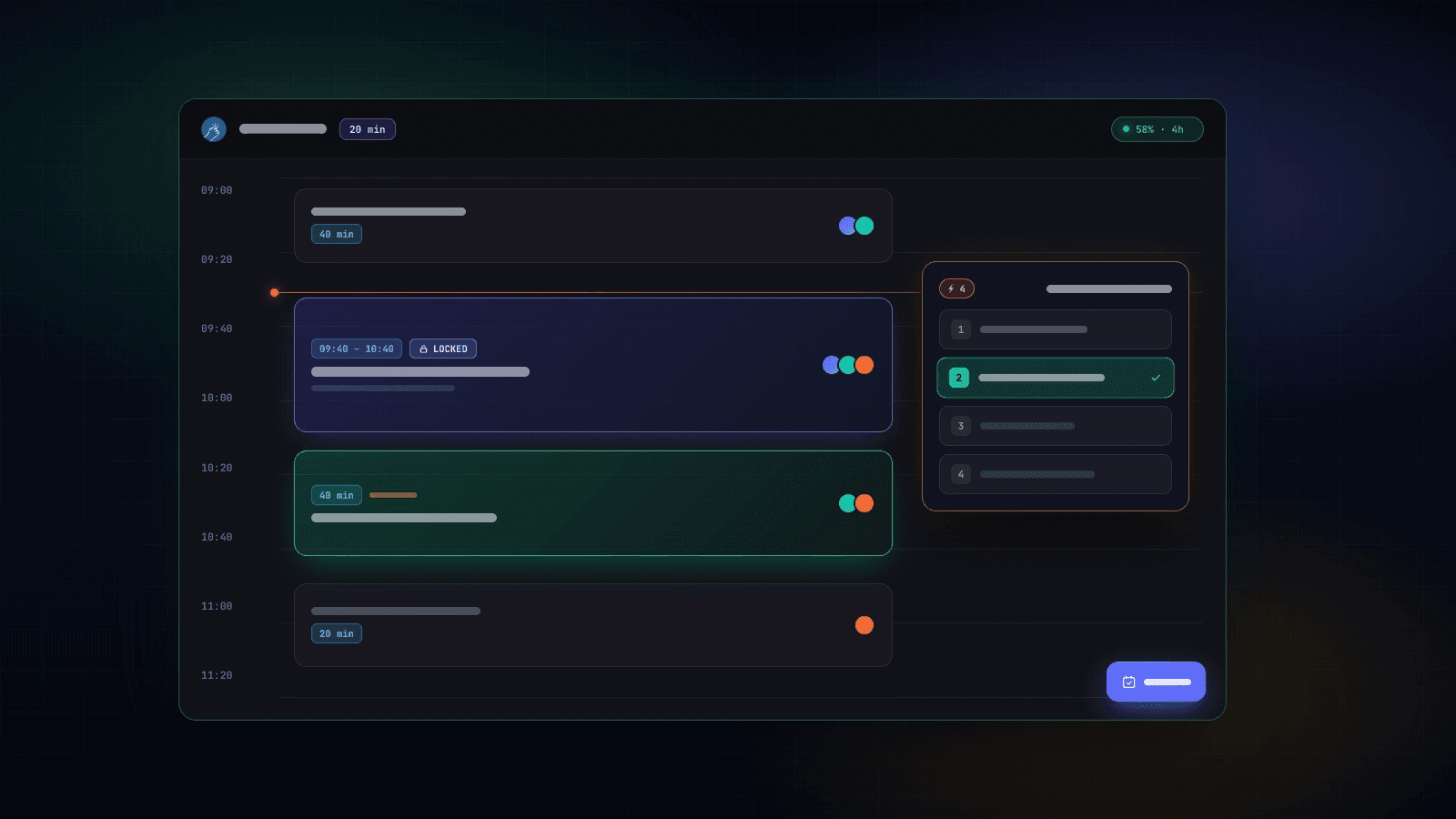
Monday, ten past nine. Your calendar shows four meetings this week, which looks manageable. Your task list shows eleven items due by Friday. On Wednesday afternoon you find out that the two do not fit together, and Thursday becomes the day you work late.
The problem is not too little time. It is that only part of the week was ever planned. The meetings got a place on the calendar; the work itself did not. This post describes a simple method for planning a whole week in 20-minute slots, what to do when plans collide, and how to keep focus time from being eaten.
Why 20 minutes
An hour is too coarse for a working day. A quick call takes twenty minutes and blocks sixty. A review that needs forty minutes gets rounded up, and the leftover twenty disappear. Five-minute precision goes too far the other way: you spend the morning arranging the day.
Twenty minutes is a practical middle. Three slots make an hour, so the arithmetic stays easy. One slot is enough for a call or a short review, two for a small focused task, six for a real block of deep work.
The method: four steps on Monday morning
Place the fixed points
Start with what cannot move: meetings with other people, deadlines with a clock time, appointments. These are the frame of the week.
Give every task a number of slots
Go through the tasks due this week and estimate each one in slots, not hours. "Three slots" is easier to judge than "about an hour, maybe more". If a task needs more than nine slots, split it into parts that can each be finished in one sitting.
Put the slots on the calendar
Now place each task in real time. Put the demanding ones where your attention is strongest, and group the small ones together. This is the moment the week tells the truth: if the slots do not fit, you know on Monday, when you can still renegotiate, and not on Thursday.
Leave room
Do not fill every slot. Keep a few open each day for what you cannot foresee: the urgent request, the meeting that runs over, the task that was bigger than it looked. A plan with no slack breaks at the first surprise.
When plans collide
However carefully you plan, something new will land on a slot that is already taken. Most calendars only warn you. The useful question is what should happen to the plan that was there first. There are four honest answers.
- Move the old plan. The new item takes the time, and what was there shifts to the next free slots. Right when the new item is fixed and the old one is flexible, like a client call landing on your report-writing time.
- Split the old plan. Keep the part that does not clash and push only the overlapping part later. Right for long blocks: you lose twenty minutes of a two-hour block, not the whole block.
- Replace the old plan. The new item takes over that time and the old plan gives it up. Right when the old plan no longer matters.
- Accept the overlap. Both stay. Right when one of them needs only half your attention, or when you want to decide later. Use it sparingly; an overlap is a decision you have postponed.
Naming these four options turns "I am double-booked" into a choice.
Protecting focus time
The slots most likely to be taken are the ones that look empty to others: the two hours you kept for the proposal, the morning set aside for thinking. To a colleague looking for a meeting time, an unprotected block is free time.
Three practices help:
- Plan focus time as a real plan with a name, not as a gap.
- Lock the blocks that must not move, and keep their number small. If everything is locked, nothing is.
- Answer invitations promptly. A "maybe" that stays for days blocks both your time and the organizer's planning.
How this looks in Meetlys
The planning and calendar feature in Meetlys is built on this grid.
- 20-minute slots. The day is divided into 20-minute slots, with a toggle to select a whole hour at once. Meetings, tasks and support tickets can all be planned on the same calendar.
- Finding time with others. The scheduling wizard looks for free time across the participants, so you do not have to ask each person.
- Four conflict choices. When a new plan clashes, you choose Reschedule, Split & Slide, Overwrite or Allow Conflict: the four answers above.
- Locked plans. A locked plan is never moved, split or overwritten. If a new plan clashes only with locked plans, the one choice offered is to allow the conflict.
- Clear replies. Each participant answers Going, Not going or Maybe. Declining frees that time on your calendar, while the organizer still sees your answer.
- Recurring plans. Weekly reviews and daily check-ins can repeat on the schedule you choose, and you can change one occurrence, that one and the following ones, or all of them.
- What is next, always visible. You can look at the day, the week, two weeks or the month, and a timeline bar at the top of every screen shows what is on now and what comes next.
Good to know. Slots are fixed at 20 minutes, and Meetlys does not sync with Google or Outlook calendars today.
Step-by-step instructions are in the help center.
The takeaway
A week goes wrong when only the meetings are planned and the work is left to fit around them. Count your tasks in 20-minute slots, place them on the calendar on Monday, leave room for surprises, and decide in advance what happens when two plans want the same time. Lock the few blocks that truly cannot move. The plan will still change during the week, but it will change by your decision.